
Every dock door, watched. Quiet when it is routine.
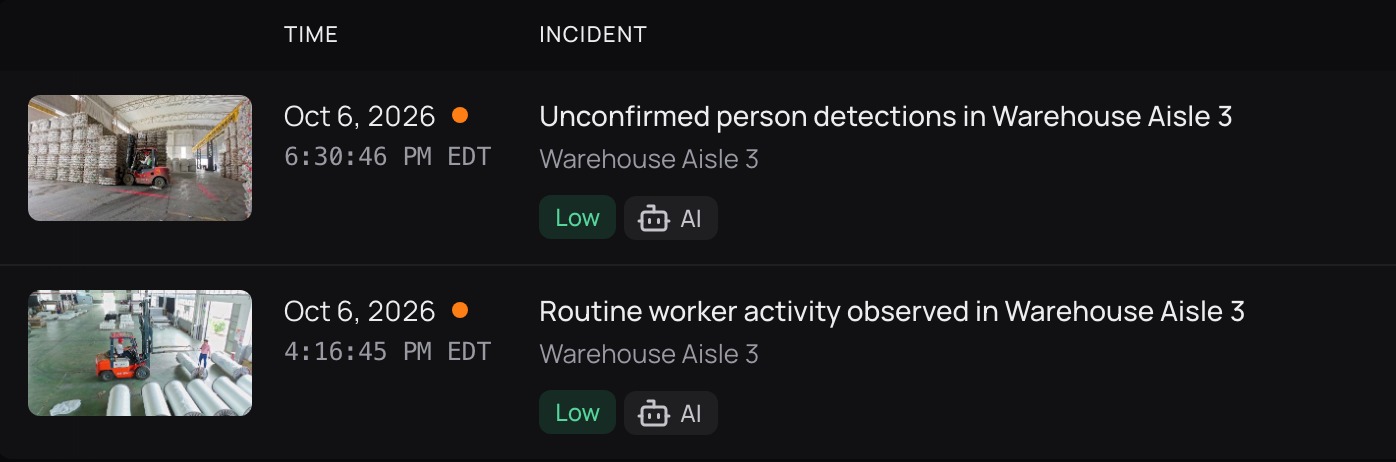
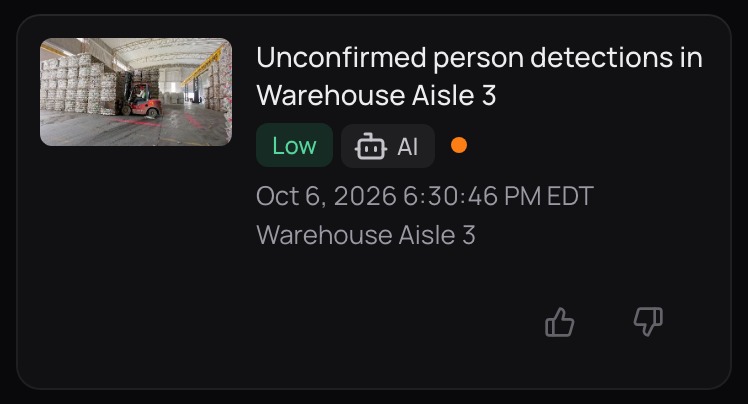
Nobody has time to watch the dock cameras. CamRA watches every recording and, on the cameras you choose, scores it from 0 to 10, so routine stays Low and quiet, and the right people hear within minutes when something needs them.

Warehouse Aisle 36:55 AM
Warehouse Aisle 3
Warehouse Bay 2
Scene caption indicates a forklift operating nearby, but object detection confirmed only person tracks; overall this appears to be routine material handling but the presence of powered equipment near personnel warrants continued monitoring.
Warehouse Bay 2Oct 6, 6:02 PM
One night at a logistics site. A site we run on public footage.
The rule written for it, and the reports and answer CamRA gave on its cameras: real CamRA output, not a customer site.
The shift went home. The dock was still watched.
One rule watches the dock door from 10 PM to 6 AM, in a few words: alert when a vehicle stopped at the dock door. Loading Dock 1's 11:28 PM recording shows a white car parked by the dock. CamRA checked that recording against those words and matched it. Its reason, word for word: “The incident report describes a white car consistently detected and appearing parked near Loading Dock 1 across the entire 10s clip, indicating the vehicle is stopped at the dock door.”
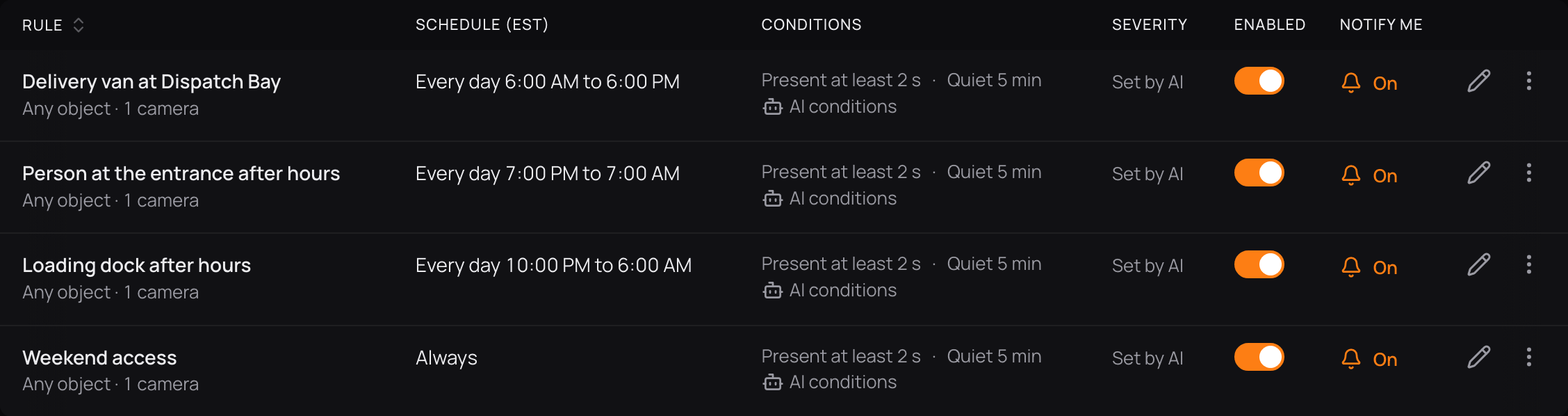
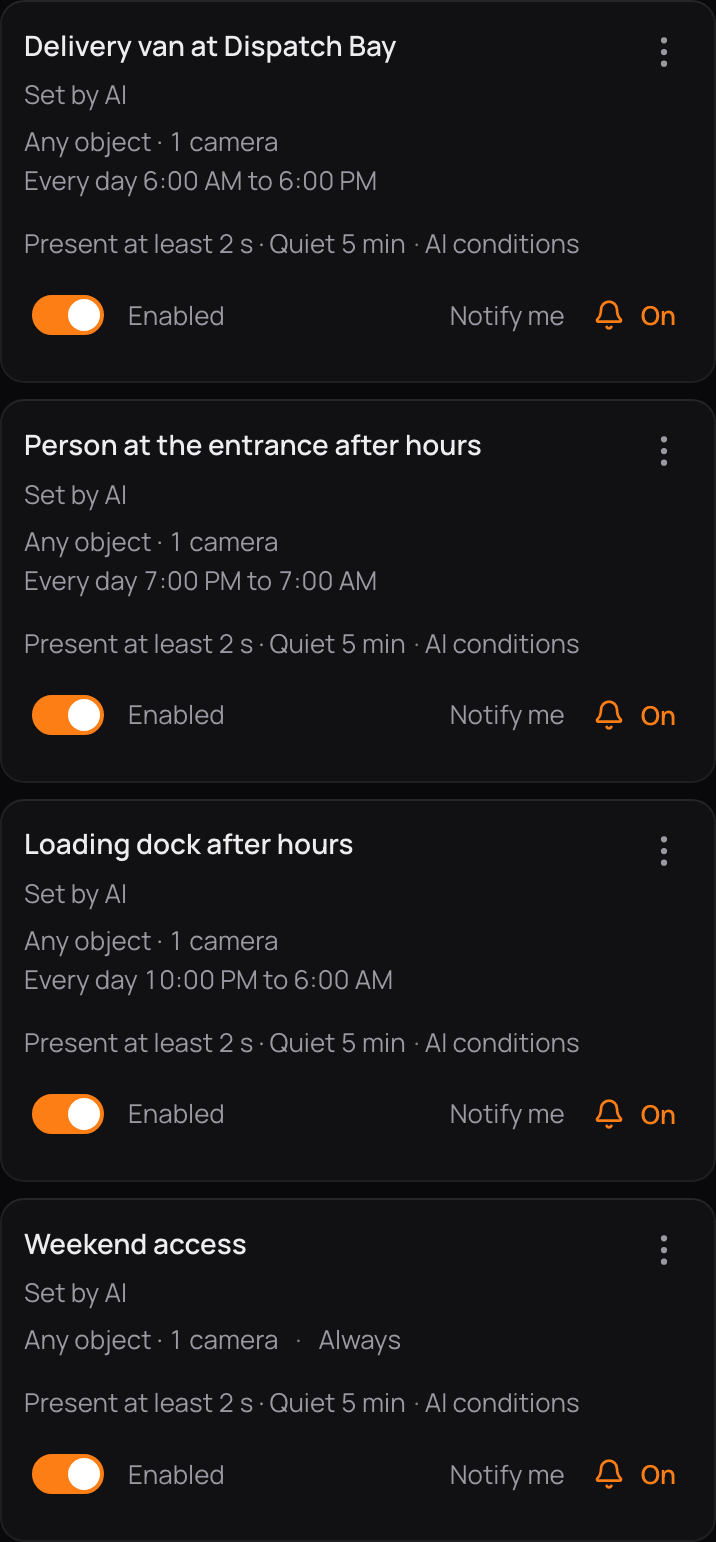
Alert ruleLoading dock after hours
On Loading Dock 1, 10:00 PM – 6:00 AM, alert when a vehicle stopped at the dock door. Tell 4 people.
- MatchedParked vehicle and stationary person observed at Loading Dock 1
- MatchedStationary vehicle observed at Loading Dock 1; no active movement


Forklifts work near people. Their recordings get a score.
With AI reports on for the aisle cameras, every recording from the aisles gets a report and a score from 0 to 10, so you can see in the morning where forklifts worked near people. In Warehouse Bay 2 CamRA scored one Medium 4: “overall this appears to be routine material handling but the presence of powered equipment near personnel warrants continued monitoring.” In Aisle 3 it scored a forklift run Low 3 and said no action was needed.


0 None10 Critical
Medium 4/10Warehouse Bay 2
Warehouse Bay 2 — personnel handling boxes with forklift activity
“…overall this appears to be routine material handling but the presence of powered equipment near personnel warrants continued monitoring.”
Low 3/10Warehouse Aisle 3
Routine forklift activity with personnel in Aisle 3
“No immediate action required, but continued adherence to warehouse safety protocols around moving equipment is advised.”
Ask for the delivery. Get the clip, not a timeline.
Type the question the way you would ask the shift lead: “Show me the people unloading the van at Dispatch Bay today.” CamRA answered with the recording inline, the camera, its length of 21 seconds and 2 people detected, then offered to open the recording or share a link. No timeline to drag.
AI ChatThe question
Show me the people unloading the van at Dispatch Bay today
It answeredDispatch Bay21 seconds2 people
It offered nextOpen the recordingShare a link
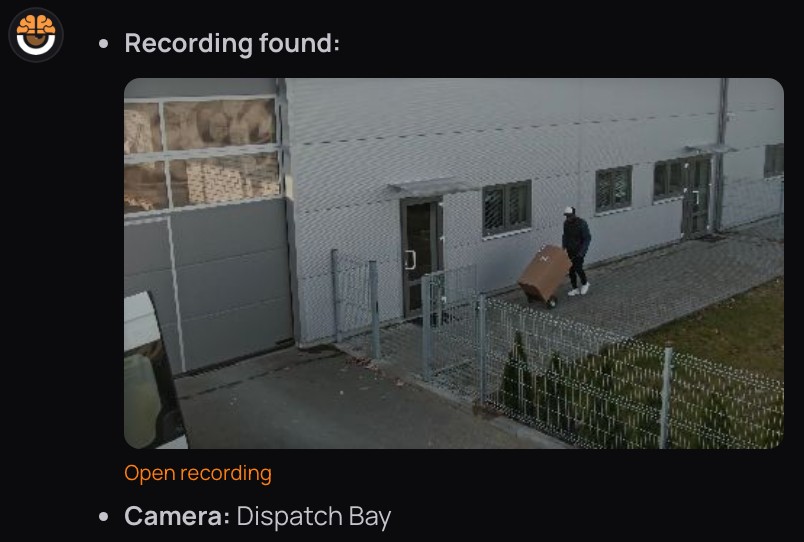

- Recording the clip, inline in the answer
- Camera found from the question
It starts at the dock camera. It ends in your inbox.
The cameras record
The cameras you already own record as they do now. CamRA's software runs on a computer on your premises and records when something moves.
CamRA watches and scores
On the cameras with AI reports on, CamRA writes a title, a summary and a score for each recording, or only for those a rule matches. Scores run from 0 to 10: None, Low, Medium, High or Critical. You can filter by date, severity and what was in it: people, vehicles or animals.
Your rules alert people
CamRA checks every new recording against your rules. When one matches, the people on it hear within minutes, with CamRA's reason attached: in the app, by email and on iPhone (the CamRA app is in testing).
The cameras you own. Named for their place.
This is how the site is set up. Docks: Loading Dock 1 and Dispatch Bay, where vehicles stop and loads change hands; the after-hours rule watches the dock door. Warehouse: Warehouse Aisle 3 and Warehouse Bay 2, where forklifts and people share the floor; every recording gets a report. Yard and gate: Yard Gate, Yard North and Container Yard East; Yard Gate also reads plates. Each camera records on motion and keeps 90 days of footage unless you choose longer.
Plates at the gate become a list of vehicles→Yard and gateTrucks in and out
- Yard GateMotion · Detection On + LPR
- Yard NorthMotion · Detection On
- Container Yard EastMotion · Detection On
DocksWhere loads change hands
- Loading Dock 1Motion · Detection On
- Dispatch BayMotion · Detection On
Alert rule Loading dock after hours · 10 PM – 6 AM
WarehouseForklifts and people share the floor
- Warehouse Aisle 3Motion · Detection On
- Warehouse Bay 2Motion · Detection On
Seven of the site's cameras · each keeps 90 days
The rest of CamRA, on the same cameras.
- Medium 4 · Bay 2AI Incidents→A report and a score on the recordings you choose.
- 10:00 PM – 6:00 AMAI Alerts→Say what matters in your own words; hear within minutes.
- 21 seconds · 2 peopleAI Chat→Ask in plain words, get the clip.
- Yard Gate · On + LPRVehicles and plates→Every truck at the gate, remembered.
- Lens · Offline · DiskCamera health→A dirty lens or a quiet camera, flagged.
- Panorama · Quad viewLive view and 360→Watch any camera from a browser.
Questions, answered.
Will it work with the cameras on our docks today?
Yes, if they give a video stream (RTSP), which nearly all IP cameras do. CamRA can find the cameras on your network, and a test shows each camera's picture before you save it. The software installs on a Windows computer on your premises.
Can the night shift get different alerts from the day shift?
Yes. Every rule has its own cameras, hours and people, on the site's clock. "Loading dock after hours" runs from 10 PM to 6 AM and has four people on it; a daytime rule can have others. Alerts arrive in the web app, and by email and on iPhone (the CamRA app is in testing), as chosen for each person.
Can CamRA count the trucks and people at a dock?
Yes. Mark an area or a line on any camera, and Area activity counts the people or vehicles that come and go: entries, exits, the most inside at once and how long they stayed. A spot two cameras see is counted once, and the figures export to CSV.
How do I give an insurer evidence?
Download the incident report as a PDF: severity, summary, camera, detected objects, the best shots and the rule that matched with its reason. Or send a share link to the recording, or to the whole incident with every recording in it. It opens without an account and expires after 24 hours, 7, 14 or 30 days.
Our aisle cameras are mounted high. How do we know they are clean?
Lens quality is checked on every recording. A dirty or blurry lens raises an alert, and so does a camera that goes quiet for 5 minutes. Nobody has to climb up to look. What CamRA checks on the cameras themselves →
What happens if the connection or a camera stream drops?
If a camera's main stream fails, recording continues on its lower-resolution stream. If uploads fall behind, recordings wait on the on-site computer. If you run more than one on-site computer and one goes offline for 5 minutes, its cameras move to another.
How long are footage and reports kept?
Footage is kept 90 days by default, for the whole organization or per camera, and longer if you choose. Each report is kept as long as its recording.
Every door. Every night, watched.
Book a demo and we'll walk through a night at the dock with you, then map your docks, aisles and yard to the cameras you already own.